Affiliate disclosure: This article contains Amazon affiliate links. If you buy through them, EVThrottle may earn a commission at no extra cost to you.
You're on a road trip in your F-150 Lightning, Ioniq 5, or Rivian. You pull into a Tesla Supercharger — now open to non-Tesla EVs — plug in your NACS-to-CCS adapter, and... nothing. Red light. "Charging error." The station and your car refuse to talk to each other, and you're stuck on the highway with a dwindling battery.
This is the growing pain of America's charging transition. As the industry consolidates on Tesla's NACS plug, millions of CCS-equipped cars need a physical adapter to use Superchargers — and the adapter is the weakest link in the chain. Here's what's actually going wrong and how to fix it on the spot.
Why the adapter fails: it's a communication problem, not a power problem
DC fast charging isn't just electricity flowing through a cable. Before a single volt moves, the car and the station have to complete a digital handshake — exchanging safety credentials, voltage limits, and thermal status over the cable. The adapter sits in the middle of that conversation, and cheap ones garble it.
Handshake timeouts are the #1 failure. The station gives the car about 60 seconds to complete the handshake; poorly shielded adapters introduce electrical noise that corrupts the data, the handshake times out, and the station kills the session. Pin misalignment is #2: Supercharger cables are heavy, and that weight pulls on the adapter, shifting its pins just enough to break contact. The car sees an incomplete circuit and throws a fault. Both failures look identical from the driver's seat — a red light and no charging — but they have different fixes.
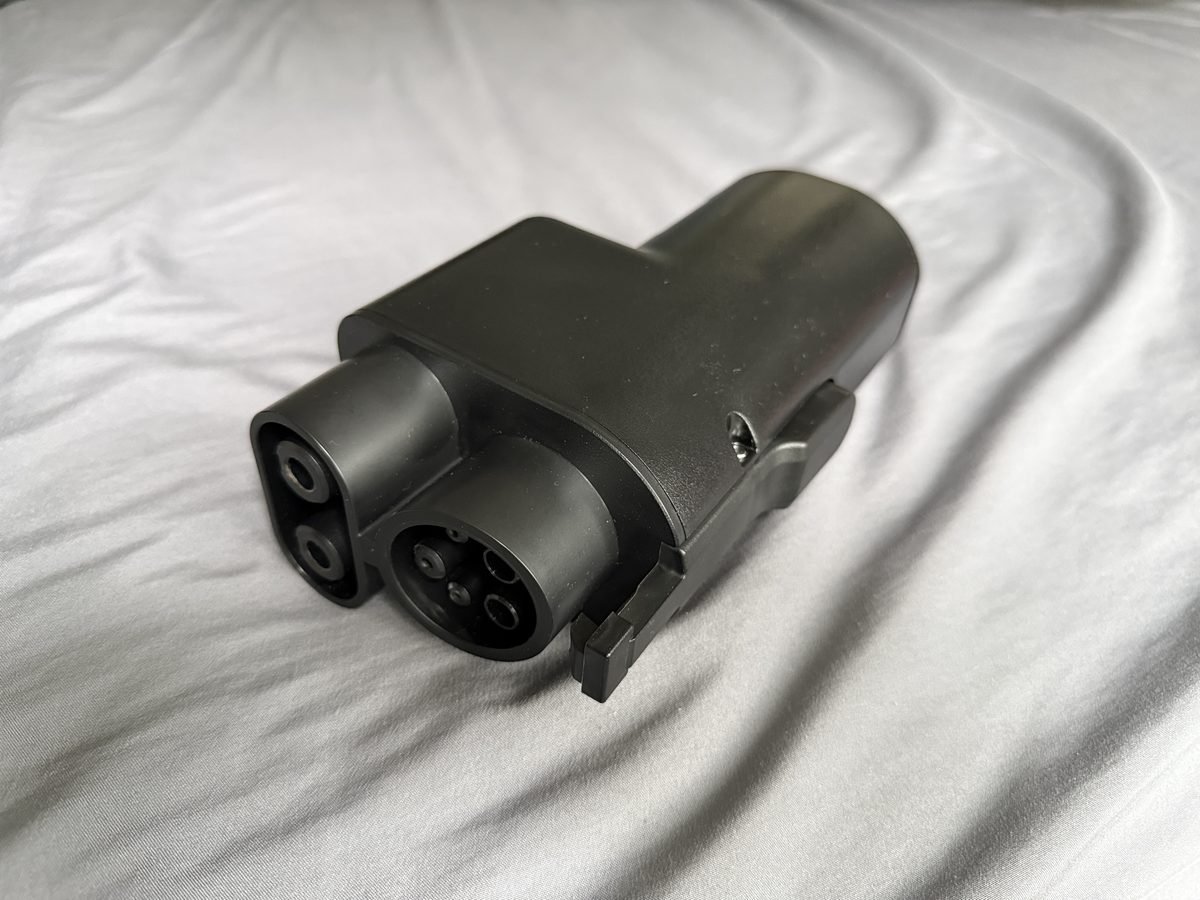
Step 1: The lift-and-hold technique
This fixes the pin-misalignment failure, and it works more often than you'd expect. Plug the NACS cable firmly into your adapter until the latch clicks, then insert the whole assembly into the car's port. Now the important part: use your hand to lift the base of the charging handle upward, pressing it firmly toward the car's body. Hold that upward pressure for 30 to 45 seconds while the station runs its initial checks.
What you're doing is counteracting the cable's weight, forcing the adapter pins into flush contact until the car's electronic port lock engages and takes over. Once the lock clicks and charging starts, you can let go. If you've been fighting "vehicle not communicating" errors, try this before anything else. One caution: this is a diagnostic technique, not a permanent workaround — if you need the lift-and-hold every single session, your adapter's tolerances are shot and it's time to replace it.
Step 2: Clear the digital jam (don't just replug)
Resist the urge to yank the plug and jam it back in repeatedly — the network reads rapid reconnects as suspicious and can temporarily lock your session. Instead: unplug everything, open the Tesla app, manually end the charging session, and wait a full 90 seconds for the stall's screen to reset to its welcome display. Then start clean: plug in, lift-and-hold, and let the handshake run its course without touching anything. Patience here genuinely matters — the handshake sequence has timeouts at each stage, and interrupting it mid-cycle just starts the failure over.
Step 3: Freeing a jammed adapter
If the adapter is locked in the port and won't release, don't force it — you'll break the locking pin actuator and turn a delay into a tow. Every EV has a manual emergency release: a small cable loop (usually with an orange or yellow tag) hidden in the trunk or frunk area near the charge port. Pull it firmly while pressing the adapter's release latch. Check your owner's manual for the exact location before your trip, not during it. And if the release cable itself won't budge, stop — a mechanically seized lock is a job for roadside assistance, not greater force.
Check the station itself: V2 vs V3/V4
Before blaming the adapter, confirm you're at a compatible station. Non-Tesla EVs can only charge at V3 and V4 Superchargers — the newer single-cable posts. Older V2 Superchargers (dual-cable posts) use a communication protocol that physically cannot talk to non-Tesla cars, and no adapter on earth will fix that. The Tesla app shows which stations support your vehicle — check before you navigate there, not after you arrive. As a rule of thumb: if the post has two cables, drive on; if it has one thick cable, you're in the right place.
Know your direction: NACS-to-CCS is not the only adapter
Adapter confusion causes a surprising number of "failures" that aren't failures at all — people buy the wrong direction. There are three adapters that matter, and they are not interchangeable:
NACS to CCS1 (this article's focus): lets a CCS1 car (Ford, Rivian, Hyundai/Kia, GM, BMW, VW) DC fast-charge at Tesla Superchargers. This is the one you need on a road trip in a non-Tesla EV.
CCS1 to NACS: the reverse — lets a Tesla charge at CCS DC fast chargers (Electrify America, EVgo). Tesla owners road-tripping outside Supercharger coverage need this one. Different product, different pins.
J1772 to NACS (Tesla): for Level 2 AC charging only — hotels, restaurants, workplace chargers. It will not work for DC fast charging, and trying to force it is how ports get damaged. If your "adapter doesn't work at a Supercharger" and it's a J1772 adapter, that's why.
Buy the wrong direction and nothing will fit — which, honestly, is the best-case failure mode. The worst case is a cheap adapter that fits but can't handle the current.
When the problem is the station, not your adapter
Not every failed session is the adapter's fault. Before you spiral: try a different stall — individual Supercharger posts develop faults, and moving one spot over fixes a surprising number of "adapter errors." Check the Tesla app for station status; a site with multiple reported issues is a site problem. And if you're at a V2 station (older dual-cable posts), stop troubleshooting — V2 Superchargers cannot communicate with non-Tesla vehicles, period. The app tells you which stations support your car; believe it.
There's also the account side: make sure your payment method is current in the Tesla app and that you don't have a failed-payment hold from a previous session. A billing lock looks exactly like a hardware failure from the driver's seat.
The permanent fix: stop buying cheap adapters
The emergency tricks above get you moving, but the real solution is hardware that doesn't fail in the first place. The adapter market is flooded with unbranded units that cut corners on shielding, pin tolerances, and thermal protection — exactly the three things that cause highway failures. A quality adapter from an established brand costs more once and works every time; a cheap one costs you a tow.
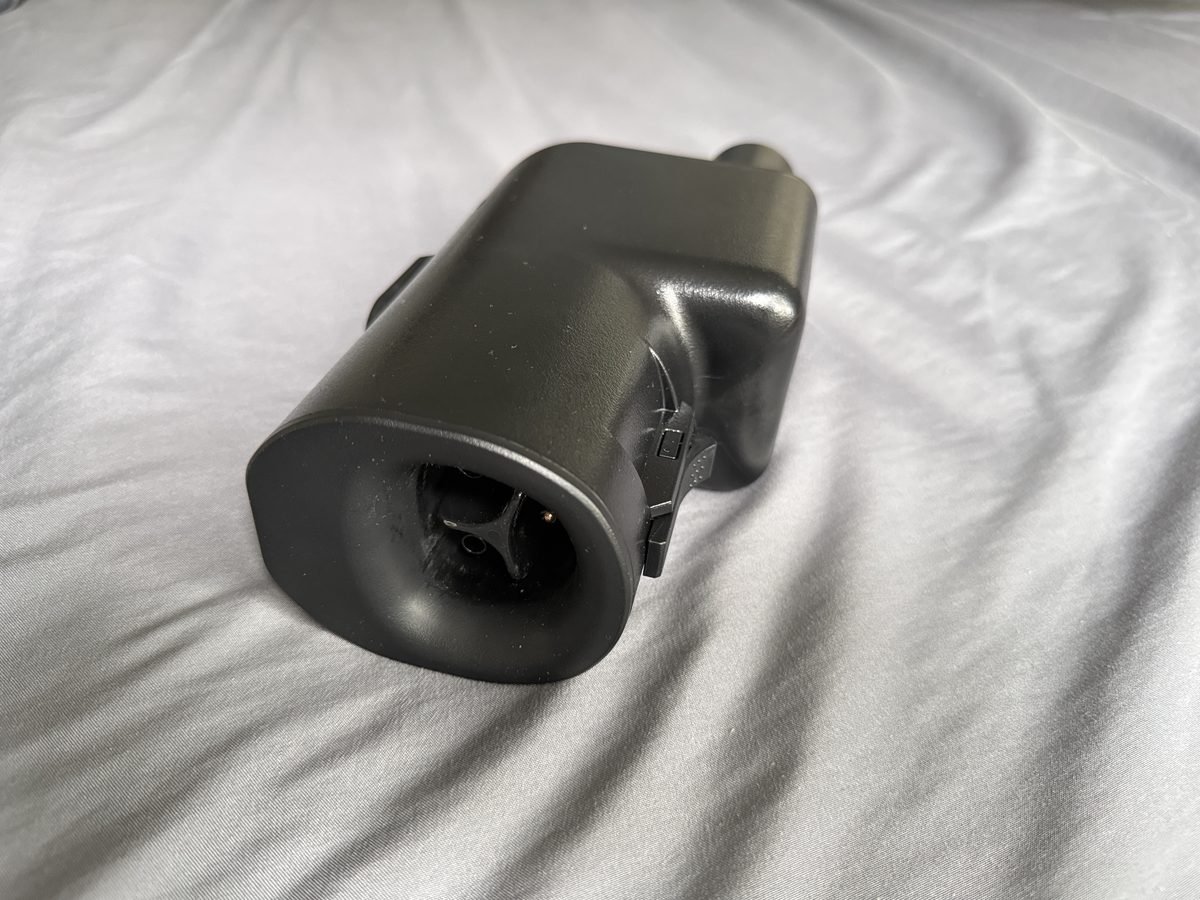
A2Z Typhoon Pro NACS to CCS1
A2Z's Typhoon Pro is the adapter road-trippers mention most: rated 500A / up to 1000V DC, built for V3 and V4 Superchargers specifically, with a dual-latch locking mechanism that addresses the pin-seating problem behind most handshake failures. (DEWALT sells a rebranded version of this same adapter, which tells you it's a legitimate piece of hardware.) Availability on Amazon fluctuates — it's also sold direct from A2Z if the listing shows out of stock.
Lectron Vortex Plus NACS to CCS1
Lectron's newer Vortex Plus is the first NACS-to-CCS adapter certified under UL 2252 by SGS — the strongest independent safety certification in this category. Rated 500A/1000V with an interlock design, it's the pick if certification paperwork matters to you (and it should, at 200+ kW). The original Vortex Plug remains available as a cheaper option, listed as UL 2252 compliant.
J1772 to Tesla adapter (for Level 2 destination charging)
One correction to the usual advice: Tesla does not sell on Amazon, so any "Tesla official" J1772 adapter listing there is third-party. Tesla's own SAE J1772 adapter (~$50) is sold on tesla.com — that's the primary pick for Tesla owners wanting hotel and restaurant Level 2 access. If you want an Amazon option, the LENZ J1772 to Tesla adapter is safety certified to UL 2251 and handles up to 80A.
Frequently asked questions
Can any non-Tesla EV use any Tesla Supercharger?
No. Non-Tesla EVs can only use V3 and V4 Supercharger stations. Older V2 Superchargers use a communication standard that can't talk to non-Tesla vehicles, no matter what adapter you use. Check the Tesla app to confirm the station supports your car before driving there.
Will a third-party NACS to CCS adapter void my warranty?
Using a certified third-party adapter won't void your warranty by itself. But if an uncertified adapter damages your charge port, the manufacturer can deny that specific repair. Stick to adapters from established brands with proper safety certifications.
Why does my adapter work at some Superchargers but not others?
Usually it's a V2 vs V3/V4 issue — V2 stations can't communicate with non-Tesla cars at all. It can also be a station-specific software or handshake issue; try a different stall before assuming the adapter is bad.
Is it safe to use a NACS to CCS adapter in the rain?
Yes — both the Supercharger plug and certified adapters are weather-sealed, and the high-voltage handshake won't start until the connection is verified dry and secure. Don't use a visibly damaged or cracked adapter in any weather.
What's the difference between NACS to CCS and CCS to NACS adapters?
Direction. NACS-to-CCS1 lets a non-Tesla EV fast-charge at Tesla Superchargers. CCS1-to-NACS lets a Tesla fast-charge at CCS stations like Electrify America. They are different products with different pin layouts — buying the wrong direction is a common and expensive mistake.
Why does my charging speed drop drastically after 80%?
That's normal battery physics, not an adapter fault. Past 80%, the car's battery management system throttles power to protect cell chemistry — shifting from a fast torrent to a slow balancing trickle. For road trips, the efficient play is charging from ~10% to ~80% (the fast zone) and driving on; that last 20% takes nearly as long as the first 60%.
Can I leave the adapter plugged in while I go eat?
Yes — once charging starts and the port lock engages, the adapter is locked to the car and can't be removed without unlocking the vehicle. That's by design. Just don't leave a cheap unbranded adapter unattended at high current; thermal failures are the one thing the lock can't prevent.
The road-trip kit: what lives in the frunk
If you drive a non-Tesla EV on highways, your frunk should carry three things: the NACS-to-CCS1 adapter (A2Z or Lectron above), the Tesla app logged in with a current payment method, and your owner's manual page for the emergency port release — photographed on your phone, not buried in the glovebox. That kit turns every adapter failure from a crisis into a five-minute delay.