Affiliate disclosure: This article contains Amazon affiliate links. If you buy through them, EVThrottle may earn a commission at no extra cost to you.
If you drive a Model 3 or Model Y built before mid-2023 and your car got noticeably worse after a recent FSD update — touchscreen stuttering, navigation lagging behind your actual position, backup camera going black, random reboots mid-drive — you're not imagining it, and it's probably not a bug in the usual sense.
The likely cause is thermal: the newest FSD builds run end-to-end neural networks that demand far more compute than the older software. On the newer HW4 cars with more powerful, better-cooled computers, it runs fine. On Hardware 3 cars from 2019–2023, the same code pushes the older processor near its limits — and when the chip gets hot, it throttles itself to survive. That throttling is what you feel as lag, freezes, and reboots.
Is your car HW3 or HW4? How to check
Not sure which hardware you have? The rough cutoff: Model 3 and Model Y built before ~mid-2023 are HW3; cars built after are HW4 (Tesla calls it "AI4" now). Model S/X switched earlier, around early 2023. To check your specific car: on the touchscreen, go to Controls > Software and look at the vehicle info — or check your VIN's model year (10th digit: N=2022, P=2023, R=2024). If you bought your 3/Y new in 2021 or 2022, it's HW3, full stop. This article is for you.
What thermal throttling actually feels like
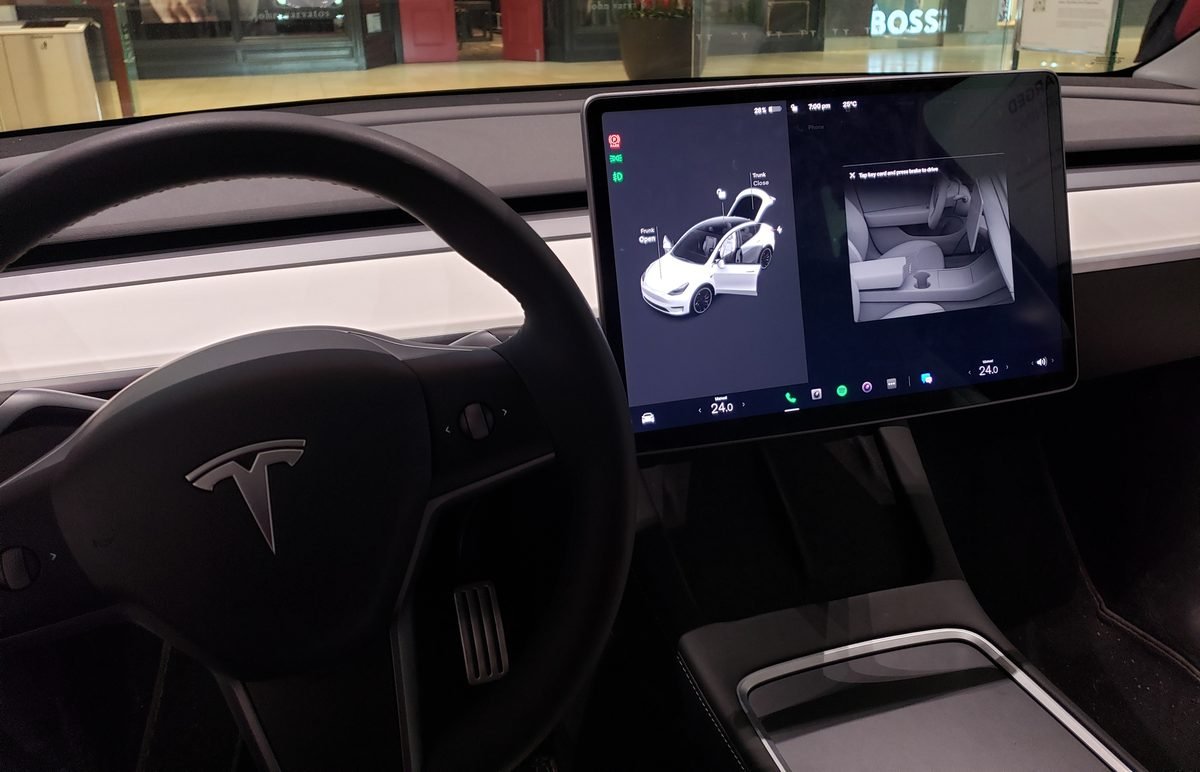
Owners describe a consistent progression. First, the screen gets sluggish — maps stutter when you pinch-zoom, the backup camera takes an extra second to appear. Then navigation falls behind — the blue dot lags your real position by a block or more on the highway. Then the camera previews go black intermittently, and finally the media unit reboots itself mid-drive — screen goes dark for 30–60 seconds, then the Tesla logo, then everything comes back.
Crucially, the car keeps driving through all of this. The drive computer (which handles steering, braking, and Autopilot) is separate from the media computer (which runs your screen). A rebooting screen is alarming but not dangerous to vehicle control — though losing your speedometer and blind-spot cameras at highway speed is reason enough to pull over until it stabilizes. If you're experiencing the full progression regularly, that's your signal the thermal margin is gone.
HW3 vs HW4: why the older computer struggles
Hardware 3 (Tesla's custom FSD Computer, launched 2019) was a marvel in its day — but it was designed for the neural networks of 2019, not 2026. The current FSD stack is dramatically more compute-hungry: bigger models, higher-resolution processing, more of the driving task handled by neural nets instead of hand-written code.
HW4 cars (roughly late 2023+) ship with a substantially more powerful computer and better thermal headroom, so the same software sips its capacity. On HW3, owners and teardown analysts report the processor running near its sustained limits under the new stack — leaving almost no margin for a hot day, a sun-baked cabin, or a dusty cooling loop. When the chip hits its thermal ceiling, it clocks itself down to avoid damage. Your screen doesn't know why it's slow; it just gets slow.
One hard truth first: you cannot upgrade an HW3 car to HW4. Tesla has confirmed a retrofit isn't possible — different board, different harness, different cameras, different power requirements. So the fix is managing the hardware you have.
The FSD update treadmill: what Tesla is doing about it
This isn't a static problem — it's a moving target. Each major FSD release tends to demand more compute than the last, and Tesla's engineers then spend subsequent point releases optimizing the code to fit HW3's thermal envelope better. Owners who track this closely report a pattern: a big update lands, HW3 cars run hot and laggy for a few weeks, then smaller patches claw back performance.
What that means for you: don't rush to install day-one FSD updates on an HW3 car. Let the early adopters find the thermal regressions, wait for the .2 or .3 point release, then update. Tesla lets you defer updates — use that. And keep an eye on owner forums after each release; if HW3 owners are reporting heat issues, sit that version out. There's no prize for running the buggiest build.
Long-term care for a 2019–2023 Tesla
Thermal management is now part of owning an older Tesla, the same way oil changes are part of owning an older BMW. Beyond the steps above: garage the car when you can — even a carport cuts peak cabin temps dramatically versus open sun. Precondition while plugged in before summer drives so the cooling loop starts from a good state. Keep the cabin air filter fresh — restricted airflow makes the whole thermal system work harder. And don't ignore the early symptoms: occasional stutter that you brush off in spring becomes weekly reboots by August. Address it while it's still just lag.
The honest long view: HW3 cars remain excellent vehicles, but they're now the older hardware running the newest software — a position every tech product eventually reaches. Thoughtful thermal care is what keeps a 2021 Model 3 feeling sharp in 2026 and beyond. And if you're shopping used, by the way, this is now a legitimate inspection point: ask the seller whether the screen lags on hot days, and take the car for a 20-minute drive with FSD visualizations on full. What the screen does under load tells you more about the computer's health than any spec sheet.
3 software steps to lower the strain
Until Tesla ships further optimizations for HW3 (they've been iterating on this), reduce the background workload competing for the same thermal budget:
1. Turn off FSD visualizations you don't need. Under Controls > Autopilot, the full-screen 3D driving visualization is a constant GPU workload — rendering every car, cone, and pedestrian around you in real time. Switching to the minimal display cuts a meaningful chunk of rendering load.
2. Pause third-party API polling. Apps like TeslaFi, Tessie, and home-automation integrations that poll your car every minute keep the gateway computer awake and warm around the clock. If you're fighting heat issues, pause them for a week and see if the reboots stop. You can always re-enable them later.
3. Clear the dashcam drive. A nearly-full USB drive forces the system to work harder managing Sentry and dashcam writes — more I/O, more heat. Format it under Controls > Safety, or swap in a larger high-endurance drive. It's a five-minute job that removes one more background burden. While you're there, consider lowering Sentry Mode sensitivity or excluding your home location — every avoided overnight recording session is hours of processor rest.
The other half: cabin heat
Here's what many owners miss: the computer lives behind the dashboard, and on a sunny day the dashboard is the hottest part of the car. Interior temps can pass 140°F in direct sun — and every degree of cabin heat is a degree the cooling loop has to fight. Software tweaks help, but if you park outside all day in summer, you're asking a 2019-era chip to do 2026-era AI work inside an oven.
The single most effective setting: Cabin Overheat Protection (Controls > Safety). Leave it on. It caps interior temps and directly reduces the thermal load on the dashboard electronics. Then add physical barriers:
BASENOR windshield sunshade (Model 3/Y)
The windshield is the biggest heat inlet in the car. BASENOR's folding sunshade is custom-fit for the Model 3 and Model Y (2017–2026, including Highland and Juniper), with double-layer reflective insulation that bounces solar energy back out before it soaks into the dashboard. It's the single highest-impact heat accessory you can buy — owners routinely measure 30–40°F lower dash temps with one in place.
BASENOR glass roof sunshade (Model Y 2020–2024)
The panoramic glass roof turns the cabin into a greenhouse. This retractable nano-coated shade blocks the radiant heat pouring through the roof glass while keeping the open feel. Fitment matters here — Tesla changed roof dimensions across generations, so this specific listing is for the 2020–2024 Model Y (the HW3-era car this article is about). Model 3 owners should pick the Legacy 3 variant from BASENOR's storefront.
Dashboard cover — BASENOR (direct)
BASENOR makes an anti-glare leather dashboard cover for the Legacy Model Y that shields the dash surface from direct solar soaking, but I couldn't verify a genuine Amazon listing for the Legacy fitment — Amazon's results are mostly decorative trim pieces or Highland-only mats. Get it direct from basenor.com (non-affiliate link) to make sure you get the right generation.
Frequently asked questions
Is it safe to drive my Tesla while the screen is black or rebooting?
Yes — the Autopilot/drive computer runs separately from the media computer that powers the touchscreen. Steering, braking, and acceleration keep working. But you'll lose the speedometer and blind-spot displays, so pull over safely as soon as you can.
Can I upgrade my HW3 Tesla to HW4?
No. Tesla has confirmed that retrofitting a Hardware 3 car to Hardware 4 is not possible — different board dimensions, wiring harnesses, power requirements, and camera hardware.
How much does a Tesla computer replacement cost out of warranty?
Owners report $2,500 to $3,200 for a full computer replacement at a Tesla Service Center once the 4-year/50,000-mile basic warranty expires. Prices vary by model and service center — which is exactly why prevention is worth it.
Does Cabin Overheat Protection help the computer?
Yes — it caps interior temperatures, which directly reduces the thermal load on the dashboard-mounted computer. It's one of the simplest protections you can enable.
Should I avoid FSD updates on my HW3 car?
Not forever — but don't install day-one. Wait for the point releases (.2, .3) where Tesla typically optimizes the code for HW3's thermal envelope. Check owner forums after each major release; if HW3 owners report heat issues, sit that version out.
Will Tesla fix this with a software update?
Partially, and they have been — each FSD generation gets optimization passes that reduce HW3 load. But software can't change the physical chip's thermal ceiling. The long-term answer for HW3 owners is thermal management (this guide), not waiting for a magic patch.
The bottom line
Your 2019–2023 Tesla isn't broken — it's running 2026 software on 2019 silicon, and the laws of thermodynamics don't negotiate. The combination of lighter software load, aggressive cabin-heat control, and a few well-chosen sunshades keeps the computer inside its comfort zone. Do those three things and the lag, the black cameras, and the mid-drive reboots should fade back into the occasional-annoyance category where they belong — instead of the daily-frustration category where overheating puts them.